API Keys
API keys let you call the OpenZEV API from a script — pull consumption data into a spreadsheet, feed a dashboard, or automate a step of your billing run — without storing your password anywhere.
You can sign in to the API with your normal credentials, but the access token expires after an hour and refreshing it rotates the token, so every script would have to implement the refresh dance. An API key does not expire on that timescale, can be revoked on its own without touching your password, and shows up in the audit log under its own name.
Creating a key
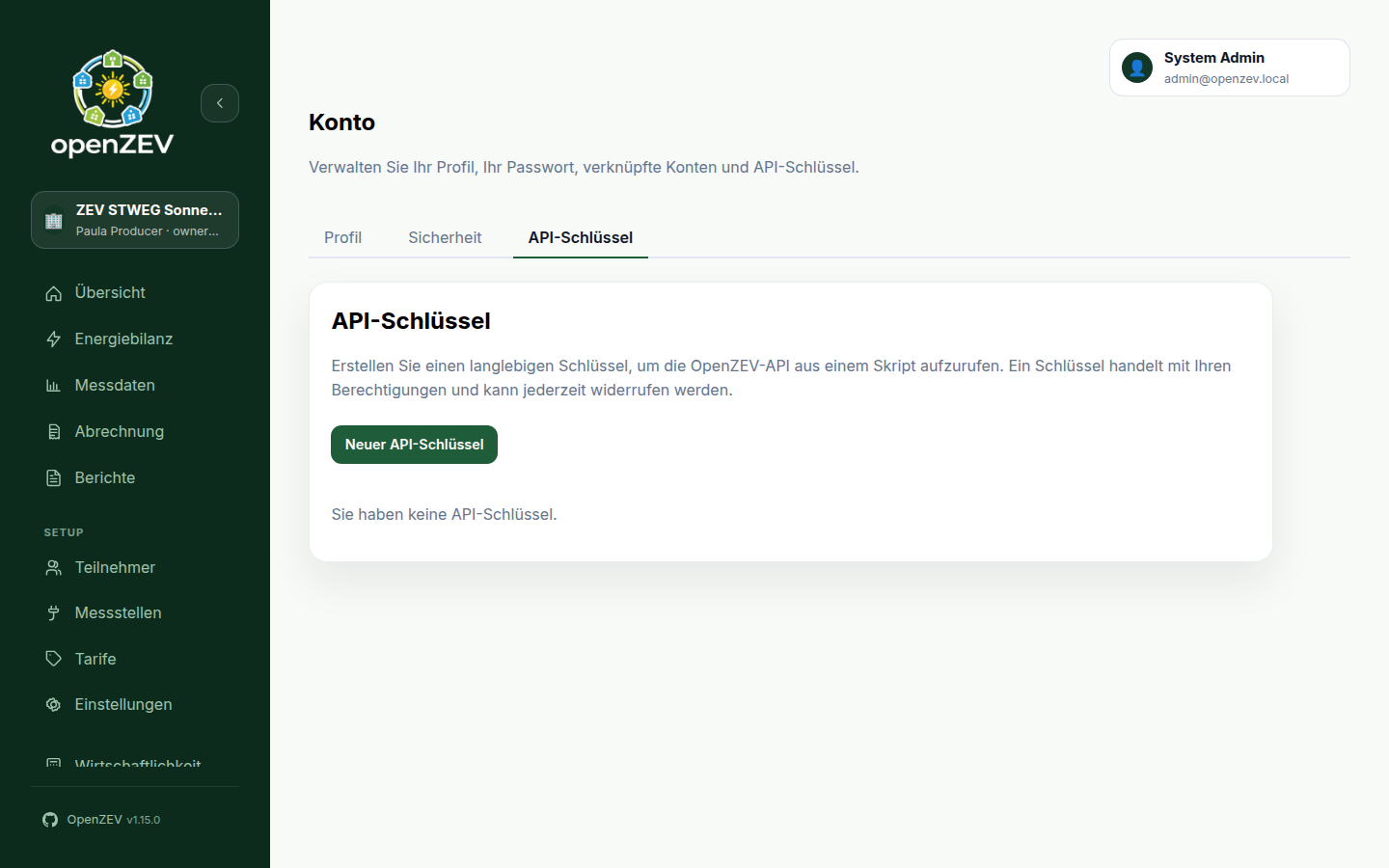
- Open Account → API keys.
- Choose New API key.
- Give it a name describing what will use it —
nightly consumption exportbeatskey 1when you are deciding six months later whether it is still needed. - Pick an expiry. The default is one year.
- Tick Read-only key if the script only reads (see below).
- Choose Create key.
The key is shown once:
ozv_3f9a1c04b7e2_kR8vN2pQ...
Copy it now. OpenZEV stores only a hash, so there is no way to show it again — if you lose it, revoke the key and create a new one.
Using a key
Send it in the Authorization header with the Api-Key scheme:
curl -H "Authorization: Api-Key ozv_3f9a1c04b7e2_kR8vN2pQ..." \
     https://your-openzev.example.com/api/v1/zev/zevs/
A full working example — the ZEVs you can see, and the invoices for one of them:
#!/usr/bin/env bash
set -euo pipefail

OPENZEV_URL="https://your-openzev.example.com"
OPENZEV_KEY="ozv_3f9a1c04b7e2_kR8vN2pQ..."

api() {
  curl -sS -H "Authorization: Api-Key ${OPENZEV_KEY}" "${OPENZEV_URL}/api/v1/$1"
}

# Which ZEVs can this key see?
api "zev/zevs/" | jq -r '.results[] | "\(.id)  \(.name)"'

# Invoices, narrowed to one ZEV
ZEV_ID=$(api "zev/zevs/" | jq -r '.results[0].id')
api "invoices/invoices/" \
  | jq -r --arg zev "$ZEV_ID" \
      '.results[] | select(.zev == $zev) | "\(.invoice_number)  \(.status)  CHF \(.total_chf)"'
Note the filtering happens in jq, not in the query string. The list endpoints
return everything your account can see and ignore unknown query parameters
rather than rejecting them — so ?zev_id=... looks like it works and silently
returns unfiltered results. Filter client-side, or narrow by paging.
Responses are paginated at 50 items (count, next, previous, results);
follow next if you expect more.
The full endpoint list, with request and response shapes, is at /api/docs/ on
your installation. The Authorize button there accepts an API key, so you can
try calls from the browser.
What a key can and cannot do
A key acts with your permissions. A participant's key sees only that participant's data; a ZEV owner's key sees their ZEVs. Creating a key never grants access you did not already have.
Read-only keys
A read-only key is refused on POST, PUT, PATCH and DELETE — it returns
403 with This API key is read-only.
Read-only is not the same as harmless. A read-only key can still read everything your account can see: participant names, addresses, email addresses and consumption profiles. Treat it as a data-export credential, and give it the same care you would give the exported file.
Endpoints closed to keys
Some endpoints refuse key authentication regardless of your role, returning
403 with This endpoint cannot be used with an API key. Sign in instead.:
| Endpoint | Why |
|---|---|
auth/token/refresh/ |
A key must not be upgradeable into a browser session |
auth/me/change-password/, auth/me/set-initial-password/ |
Otherwise a leaked key locks the real owner out |
auth/me/ (PATCH), auth/me/email-change/ |
Moving the account email moves password recovery with it |
auth/me/sessions/revoke/, auth/users/<id>/revoke-sessions/ |
A key must not be able to sign its owner out |
auth/users/ writes, auth/users/<id>/impersonate/ |
An admin's key must not be able to become somebody else |
auth/me/api-keys/ |
A key that can issue keys makes revoking a leaked one pointless |
The rule behind the list: a key may not touch credentials or sessions. That is what keeps a leaked key a revocable credential rather than a permanent account takeover.
Reading is still open where it is useful — GET auth/me/ works for any key.
GET auth/users/ is the instance-wide user list and is restricted to admin
keys; a non-admin key is refused there.
Rate limits
Key-authenticated requests are limited to 600 requests per hour per key
(configurable by your administrator via API_KEY_THROTTLE_RATE). Exceeding it
returns 429 Request was throttled.
The limit is per key, not per account, so one busy script cannot starve another.
Browser sessions are not throttled by this limit; the login, registration,
refresh, verification and OAuth login/exchange endpoints carry their own
per-IP limits (see AUTH_*_THROTTLE_RATE settings).
Rejected responses normally carry a Retry-After header with the seconds to
wait — but not always: once you are well past the limit the header is
omitted. Retry logic should treat it as optional and fall back to a default
backoff rather than reading it unconditionally.
Expiry
Every key shows its expiry in the list, and is flagged Expires soon for the
last 14 days. A key past its expiry is refused with 401 exactly as a revoked
one is.
There is no automatic renewal: create a new key, switch the script over, then revoke the old one. Doing it in that order means no gap.
Revoking a key
Choose Revoke next to the key. It takes effect on the next request — nothing is cached, so there is no window in which a revoked key still works.
Revoke a key when:
- the script using it is retired
- it may have been exposed — committed to a repository, pasted into a ticket, or sent over chat
- somebody with access to it leaves
Revocation cannot be undone. Any script still using the key starts failing with
401 immediately, so make sure you know what uses it first — the last used
column is the quickest way to tell whether anything still does.
An administrator can revoke your key
Administrators see every key in the system under Platform → Accounts → API
keys (/admin/accounts/api-keys),
with its owner, prefix, scope, last use and expiry — and can revoke any of them.
This exists for offboarding and for responding to a leak: a key has to be
killable by someone other than the person who lost it.
What an administrator cannot do is create a key in your name. Keys are only ever issued to the person signed in, under Account → Profile. A durable credential minted in somebody else's name would outlive the admin's session and bill every action it took to its supposed owner, so no such path exists.
Every administrator revocation is recorded in the audit log naming both the key and the administrator who revoked it.
Changing your password does not revoke your keys
Changing your password signs out your other browser sessions, but keys are separate credentials. That is deliberate: a routine password rotation should not silently break every automation you have. It also means that if you are changing your password because you think your account was compromised, you should revoke your keys as well — changing the password alone does not lock an attacker out of them.
Audit trail
Actions taken with a key are recorded in the audit log with the source API key and the key's name, so an entry reads as "the nightly export did this", not just "you did this". This is what makes the blast radius of a leaked key reconstructable.
Revoked keys keep their row in the database — that is what lets an audit entry from six months ago still resolve to a name — but they disappear from your list.
Troubleshooting
| Symptom | Cause |
|---|---|
401 Invalid or expired API key. |
Wrong, revoked, expired, or truncated key; or the owning account was deactivated. The message is deliberately identical in each case. |
403 This API key is read-only. |
The key was created read-only and the request is not a GET/HEAD/OPTIONS. Create a new key without the flag. |
403 This endpoint cannot be used with an API key. |
See Endpoints closed to keys. |
429 Request was throttled. |
Over the hourly limit. Wait for Retry-After, or slow the script down. |
401 on a key that worked yesterday |
Check the expiry in the key list; an expired key is refused exactly like a revoked one. |
Security notes
- Treat a key like a password. Put it in an environment variable or a secret
store, never in a committed file. The
ozv_prefix exists so that secret scanners can recognise a leaked key. - One key per use. Separate keys mean you can revoke the compromised one without breaking anything else, and the audit log tells you which script did what.
- Prefer read-only whenever the script only reads.
- Set an expiry. A key nobody remembers is a key nobody revokes.